Sub-agents & Workflows
Elowen can hand a focused task to a sub-agent, or split connected work into a workflow. Use a sub-agent for an independent investigation or a concise result. Use a workflow when steps depend on one another.
Delegate one task
In Web chat, describe the task and ask Elowen to delegate it. A sub-agent starts with its own conversation, so include the full task and any context it needs. It returns the result to the conversation that started it. By default, delegation runs in the background and Elowen brings you the result when it finishes. Use a blocking run only when you need its answer before continuing.
Independent tasks can be delegated together and run in parallel. A child uses the caller's model and access by default; you can choose another available model or narrow its tools. A child cannot gain access to Projects, tools, or permissions the caller does not have. Read-only delegation removes write tools and restricts shell commands, but is not a filesystem sandbox. The built-in explore and plan types are read-only; plan returns its proposed plan as a reply instead of writing a file. review inherits the caller's tools but does not change a repository. Check a custom type's own restrictions before using it.
A normal child starts a fresh conversation and cannot see the parent transcript. Use a fork only when the child needs that full context. A fork shares the parent prompt and tools, and it shares the provider cache only when it runs on the same provider and model. An administrator can make forking the default for a delegation that leaves fork out, with Share conversation context under Settings → <assistant name> AI → Limits and connection retries → Edit limits. A delegation that sets fork explicitly is not affected.
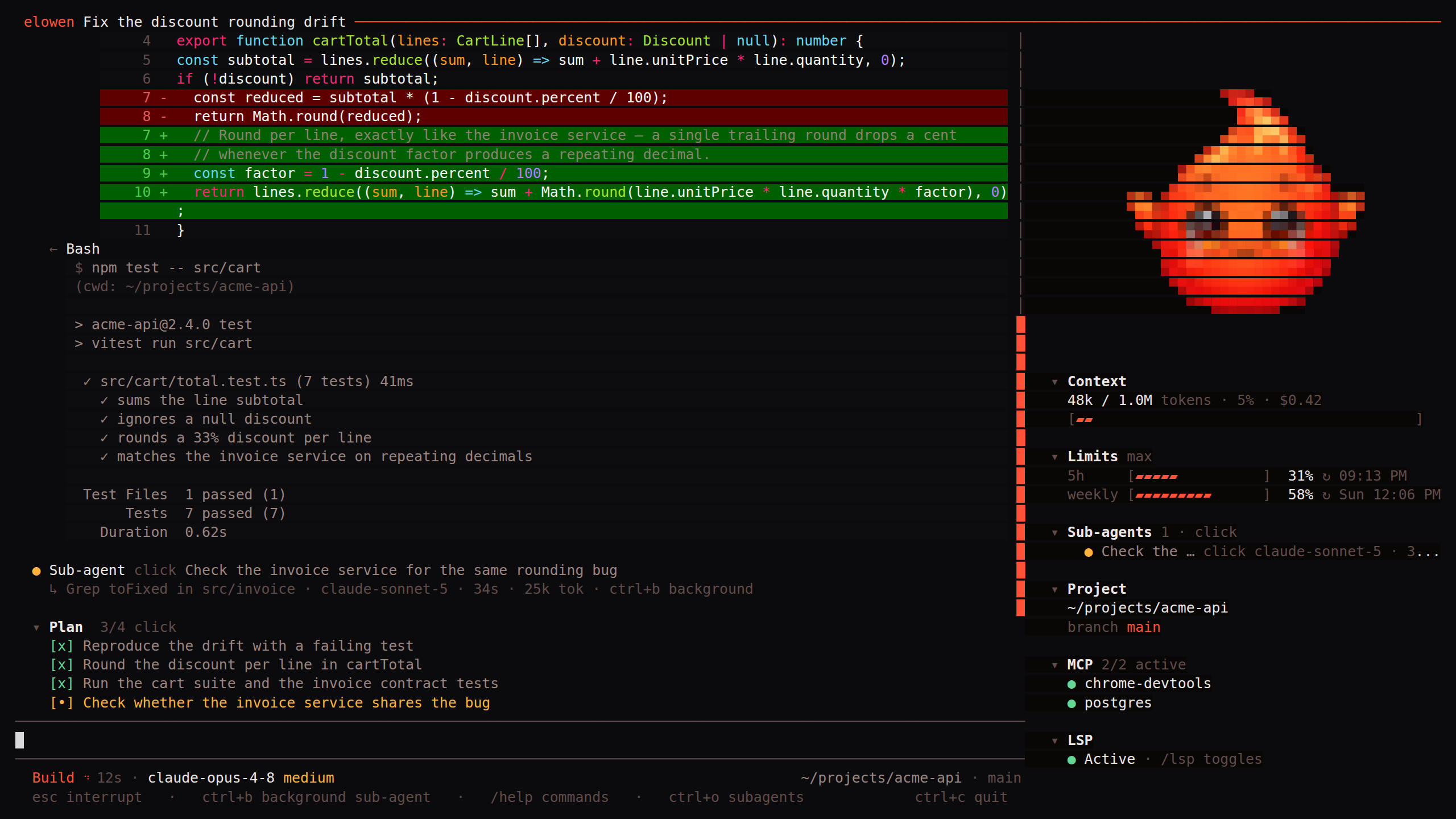
The CLI shows running children and their activity. Use Ctrl+O to focus a child and Esc to return to the parent. Child views in the CLI and web keep the message field in its usual place and size, locked with a read-only hint. The task list and agents stay visible above it; child tasks are for viewing only. Send follow-ups in the parent conversation and ask Elowen to continue or steer the child. The parent's draft and queued messages stay in the parent view. A running child's row in the agents rail shows its elapsed time, its generation speed and its last status note. To stop one, use Stop sub-agent on its row in the web or Ctrl+X, then k in the CLI, which stops the child you are viewing or the newest running one. A stop does not kill a foreground command the child is still waiting on: in the CLI, Ctrl+X, then s stops that child and, pressed again within the interrupt window, kills the command. You can change the shortcuts in /keybinds. Ctrl+B backgrounds foreground work without cancelling it.
Track tasks in a conversation
The task list keeps concrete steps visible for one conversation; it is a checklist, not work that runs by itself. It is provided by the optional todo plugin, which you install from Settings → Plugins → Available. It is not one of the bundled plugins. It is separate from scheduled jobs, which run on a timer. Create tasks with a short subject and description, then set them to pending, in progress, or completed as work changes. You can add dependencies so a task stays blocked until its prerequisite is complete. The task panel shows progress for this conversation only.
Run connected work as a workflow
In Web chat, open Options in the composer and choose Workflow under Work mode. In the CLI, use /workflow. This mode guides Elowen toward orchestration, but it can still handle a simple request directly. Independent steps can run in parallel; a step with prerequisites waits for them.
Create a JSON file with Write and pass its path to WorkflowStart as file_path. In a managed Project, write the file inside the project, for example as workflow.json, because the host path is not visible there. The file holds either a node array or an object with a nodes array, and it may also set title, fork and background. Every node needs a unique id and complete task; use deps to list prerequisite node IDs. At least one node must have no dependencies. A workflow can have up to 128 nodes, each with a task of up to 16,000 characters; unknown dependencies, cycles and longer tasks are rejected. Nodes may also set a model, thinking level, tool allow-list, read-only mode, sub-agent type, a working directory (cwd, an absolute path), or fork the conversation the workflow was started from — a fork cannot be combined with the narrowing options. For downstream nodes, write a ## Handover section with only the findings they need; Elowen passes that section rather than the full result.
[
  { "id": "inspect", "task": "Inspect the relevant files and report findings." },
  { "id": "change", "task": "Make the agreed change.", "deps": ["inspect"] }
]
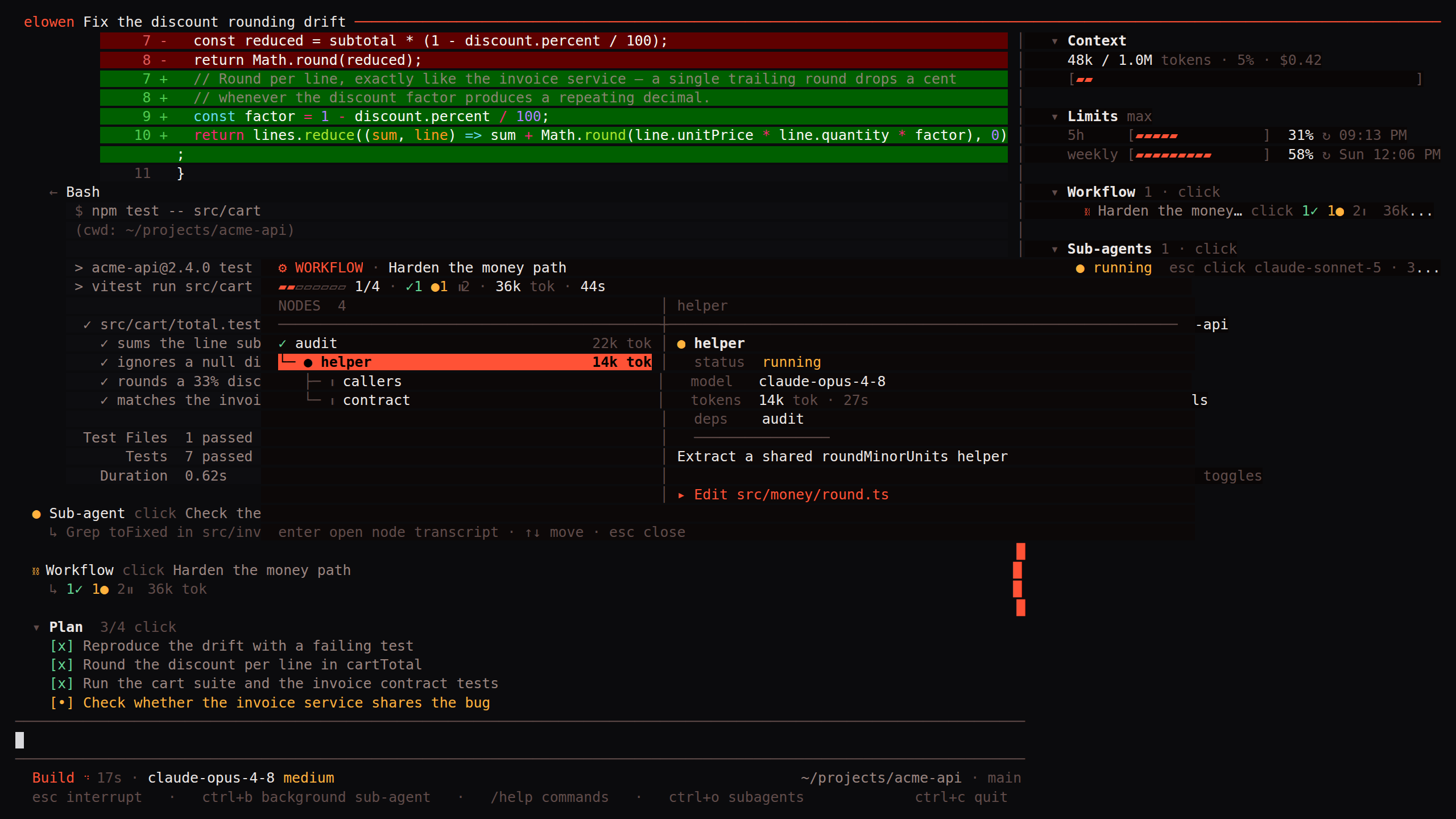
Each node is a fresh sub-agent, or a fork of the conversation the workflow was started from. It inherits that conversation's working directory unless its cwd names another one, so a workflow started from a worktree runs there. A dependent node receives a handover of up to 4,000 characters from each direct prerequisite, not every earlier result. A node that writes no handover hands down the end of its result instead. If it needs an earlier finding, list that node as a dependency too. WorkflowStart returns a handle and delivers the summary when the background workflow finishes. Set background: false when you need the full result before continuing. Explicit title, fork or background arguments to WorkflowStart override the same keys in the file.
Check or continue work
Use WorkflowStatus to see node status, dependencies, elapsed time, and progress. WorkflowAddNodes adds follow-up steps to a running workflow. WorkflowResume retries unfinished nodes without rerunning completed ones. WorkflowStop stops a running workflow; completed nodes keep their results. A node whose dependency failed stays pending and does not run.
Elowen delivers a finished background sub-agent result automatically. Use DelegateStatus for a running task, DelegateResult to read its completed result, DelegateRead to page through a long one, DelegateContinue to continue its conversation, or DelegateStop to stop it. A continuation keeps that child's transcript and access; it does not start a new child. If every sub-agent slot is busy, a background sub-agent waits in a queue and shows as queued until a slot frees. Stopping it removes it from the queue, and it never starts. Do not repeatedly poll a background task.
Manage background processes
Long-running terminal commands started in the background have handles for the current conversation. Use ListProcesses to list them, ProcessOutput to wait for or inspect output, and KillProcess to stop one abruptly. ProcessOutput waits for the process by default; use block: false for a quick peek or all: true for the retained buffer. Output is incremental and retained as a rolling buffer. KillProcess stops the process immediately and discards its retained output, so read it first if you need it. Handles are limited to this conversation and account; foreground jobs and other conversations' jobs are not listed. The terminal plugin allows 16 concurrent background processes by default. The maxBackgroundProcesses setting in its configuration sets the limit, from 1 to 64.
Install the sub-agent plugin
Sub-agents and workflows are provided by the subagent plugin. In Settings → Plugins → Available, an administrator can select Install. Review its capabilities and approve any requested grants. For a disabled installed plugin, use its toggle under Installed.
Enabling, disabling, or removing a plugin restarts Elowen. Running work is saved and resumes after the restart; only work that cannot resume gets a bounded wait to settle. A built-in plugin you removed can be restored from Available. Elowen also attempts to recover delegated work after a restart, and stops or parks it if safe recovery cannot be verified.