Durable units of work
Tasks with a plan, a todo state and an outcome; missions the autopilot pursues across many of them over time.
A personal AI agent that runs on your own hardware — one daemon, one database file, and every surface you reach it through.
You talk to it; it plans, calls tools, edits files, runs commands and comes back with the evidence. What it remembers, which models it may use and how far it may go without asking are yours to set — not defaults chosen somewhere else.

There is no workflow to assemble first. You describe the outcome, and the session carries what it needs with it: the active project, the tools your account may use, the memory it has kept and the decisions already made.
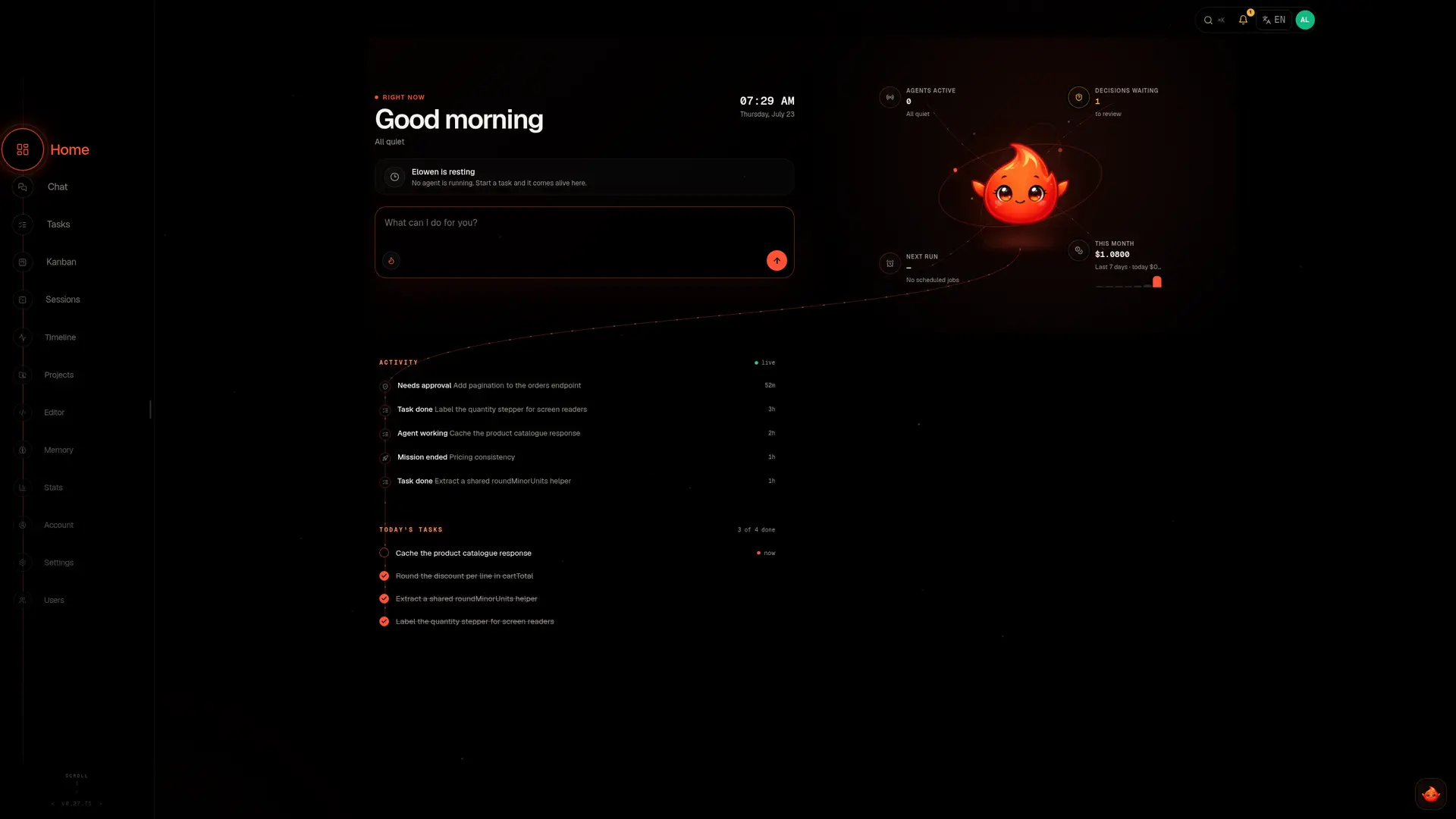
Stay in the terminal when you want speed, open the web dock when you want the whole system in view. Same agent, same history, same rules.
Meet the CLI →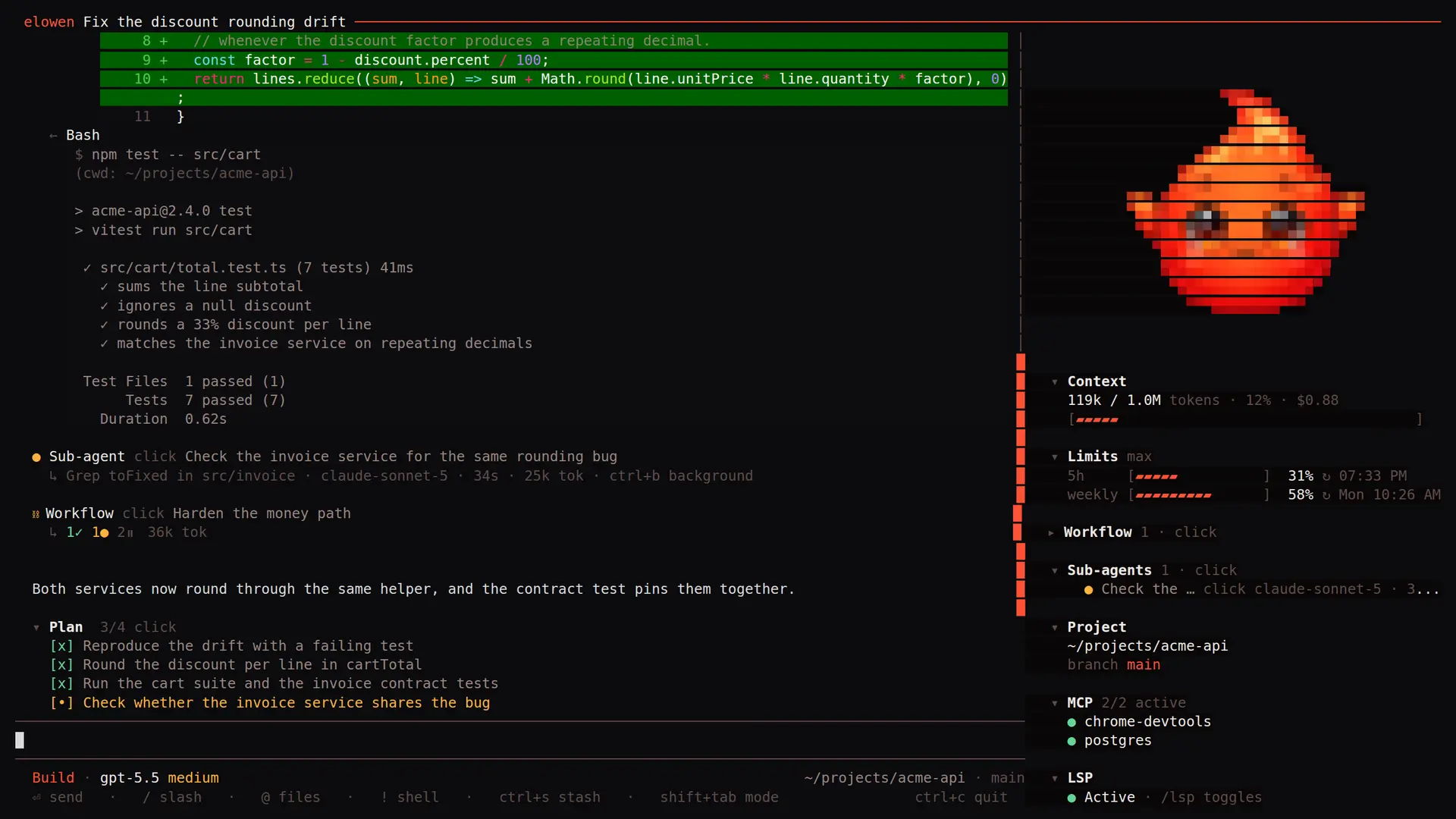
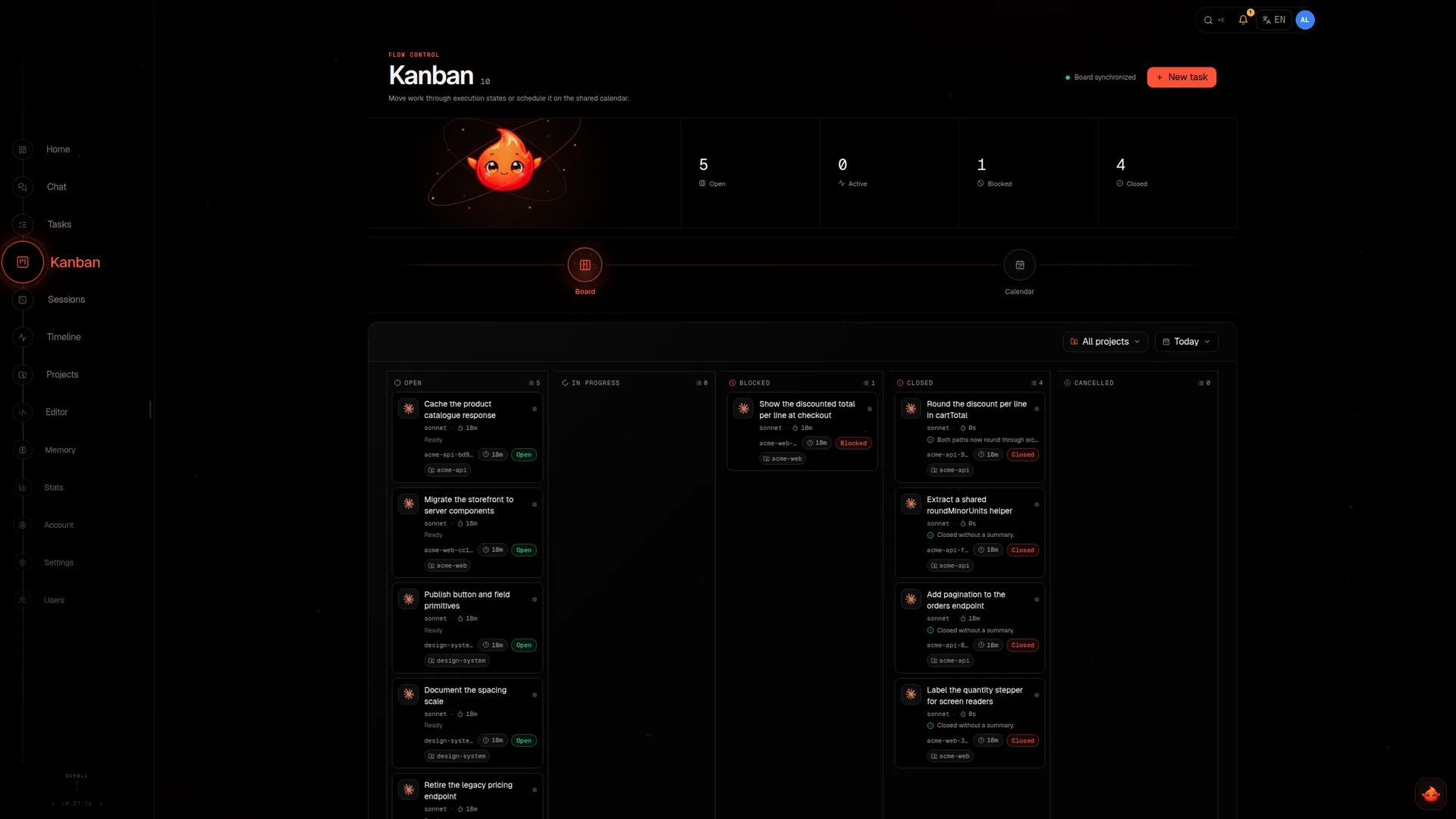
A long job is a task, not a spinner. It holds its plan, its todo state, the tools it called and the evidence it gathered — and it survives a closed tab, a dropped connection and a restart.
Tasks group into missions, and missions are what the autopilot pursues on its own. Nothing runs where you cannot look at it: read the diff, steer the next step, or stop it before a risky action.
When a job outgrows one context, the agent delegates. Each sub-agent starts clean, receives exactly the instruction it needs, and can only ever narrow the permissions of the agent that spawned it.
They run on whichever models you allow — one to explore the repository, one to argue with the plan, one to verify the result — in parallel or as a dependency graph. What returns is a conclusion, not a transcript.
Agents and providers →Elowen keeps what is worth keeping — decisions, preferences, environment details, the shape of each project — and brings a fact back when it becomes relevant, together with the reason it was kept.
Memory is a place you can open. Search it by meaning, group it, correct a fact that changed, delete what no longer belongs. Nothing is profiled where you cannot see it.
How memory works →Database migrations are forward-only; a rollback is done with a new migration, never by editing history.
Tests are written against behaviour and domain rules, never against internal implementation details.
Jordan owns the pricing domain and reviews anything that touches discounts.
Projects decide where the agent may act. Roles and per-user policy decide who may ask, with which tools and which models. Autonomy levels and approval gates decide what may proceed without a confirmation, and an overseer reviews what runs unattended.
Provider credentials stay on the daemon and never reach a client. The same policy follows the agent into the CLI, the web UI and every connected channel — one runtime, one set of rules.
Read the access model →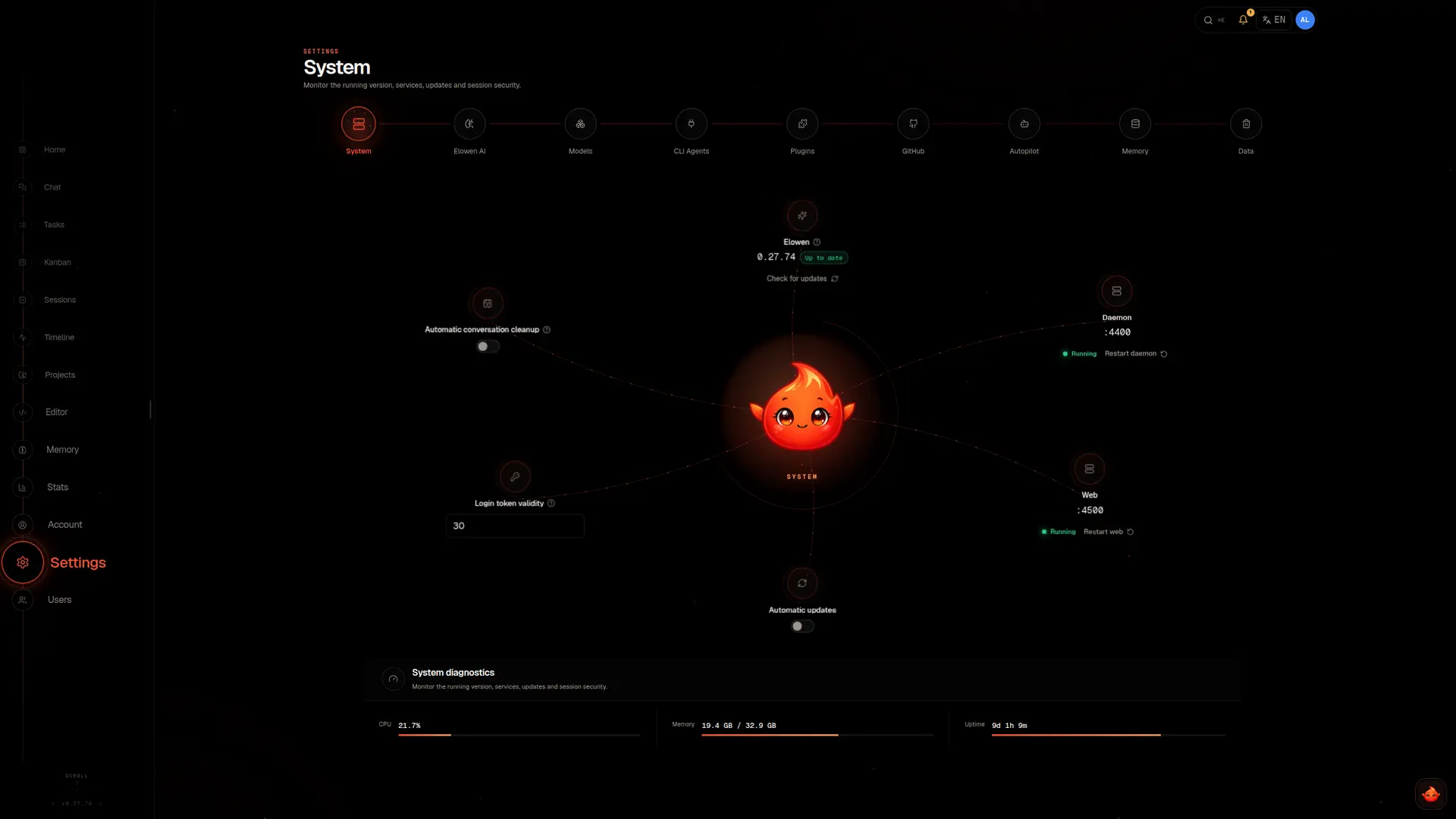
The CLI when you want focus. The web UI when you want the whole system. Chat platforms when the work starts in a message somebody sent you.
Tasks with a plan, a todo state and an outcome; missions the autopilot pursues across many of them over time.
Self-contained work handed to a fresh sub-agent — in parallel or as a dependency graph, on any model you allow.
From ask-first to unattended, with approval gates on risky actions and an overseer reviewing the runs.
Decisions, preferences and project context — searchable by meaning, categorised, correctable, deletable.
Scoped working directories, semantic code search, inspectable diffs and a PR workflow with handoff notes.
Roles, per-user tools, models and projects, scoped API tokens, and gates on the actions that cannot be undone.
Recurring prompts and one-shot wake-ups, with cheap guard checks so a job only wakes a model when there is something to do.
Channels, tools and MCP servers load as plugins; repeatable procedures live as markdown skills the agent picks up on its own.
Three live systems that would notice if Elowen stopped: a hair salon, an auto-parts counter, and this website.
Clients message the salon's Elowen on WhatsApp. It reads the calendar, offers the openings that really exist, confirms with an SMS code and sends the reminder the day before. Payments and expenses land in the books as they happen. The owner reads one summary in the morning and cuts hair.
Twenty-nine documentation pages, written, restructured and deployed by Elowen out of the same repository they describe. The orbital navigation you scrolled past was its own suggestion, ported from its web UI.
At an auto-parts counter, a supplier's delivery note gets photographed. Elowen reads the barcodes, matches the parts against the catalogue and books them into stock. An evening of typing became a few minutes of checking.
No control plane to operate, no managed service in the middle, nothing phoning home. Six pieces, all of them on hardware you own.
The installer sets up whatever the host is missing — Node.js, tmux, the services, optionally a reverse proxy with HTTPS — then creates the first admin and leaves a live web UI behind. It runs on Debian and Ubuntu, supervised by systemd.
$ curl -fsSL https://build.coresynth.io/hooks/licensing/v1/install.sh | bash
$ elowen setup
# Debian or Ubuntu — the installer asks for your licence key
● Elowen is live — http://localhost:4500
$ curl -fsSL https://build.coresynth.io/hooks/licensing/v1/install.sh -o install.sh
$ less install.sh
$ bash install.sh
# the same script as the one-liner — read it firstOn your machine. Elowen is a self-hosted daemon with a single SQLite file — conversations, memory, tasks, users and settings never leave your infrastructure. Provider credentials stay on the daemon and are never handed to a client.
Any provider you configure — Claude, GPT, Gemini and others — by API key, or by signing in with a ChatGPT or Claude subscription you already pay for, with live usage meters for the rolling and weekly limits. Each sub-agent can run a different model, and an admin decides which models each user may reach.
To the degree you allow. Autonomy runs from ask-first to autopilot, approval gates protect the actions that cannot be undone, and an overseer reviews what runs without you. Anything outside the granted scope stops and asks instead of improvising.
Yes. Role-based access control with per-user tools, models and project assignments, plus scoped API tokens for integrations. Everyone talks to the same runtime, each under their own policy.
A service behind a reverse proxy. sudo elowen install provisions a dedicated system user, the elowen-daemon and elowen-web units, optional Let's Encrypt HTTPS and an auto-update timer.
No. Elowen runs on Debian and Ubuntu Linux, supervised by systemd. There is no macOS or Windows install.
No. Elowen is commercially licensed and the source is available to licensees. An installation needs a key from the licence server; Licence covers what it unlocks.